Native friction
Why bookmarks matter
- Recency is a bad system for high-value conversations.
- Your most useful threads are not always your newest ones.
- Important workflows disappear when everything is sorted by what happened most recently.
ChatGPT bookmarks
GPT Master helps you keep your best ChatGPT threads close with starred conversations, pinning, notes, and fast retrieval tools built for repeat use.
Quick answer
GPT Master helps you keep your best ChatGPT threads close with starred conversations, pinning, notes, and fast retrieval tools built for repeat use.
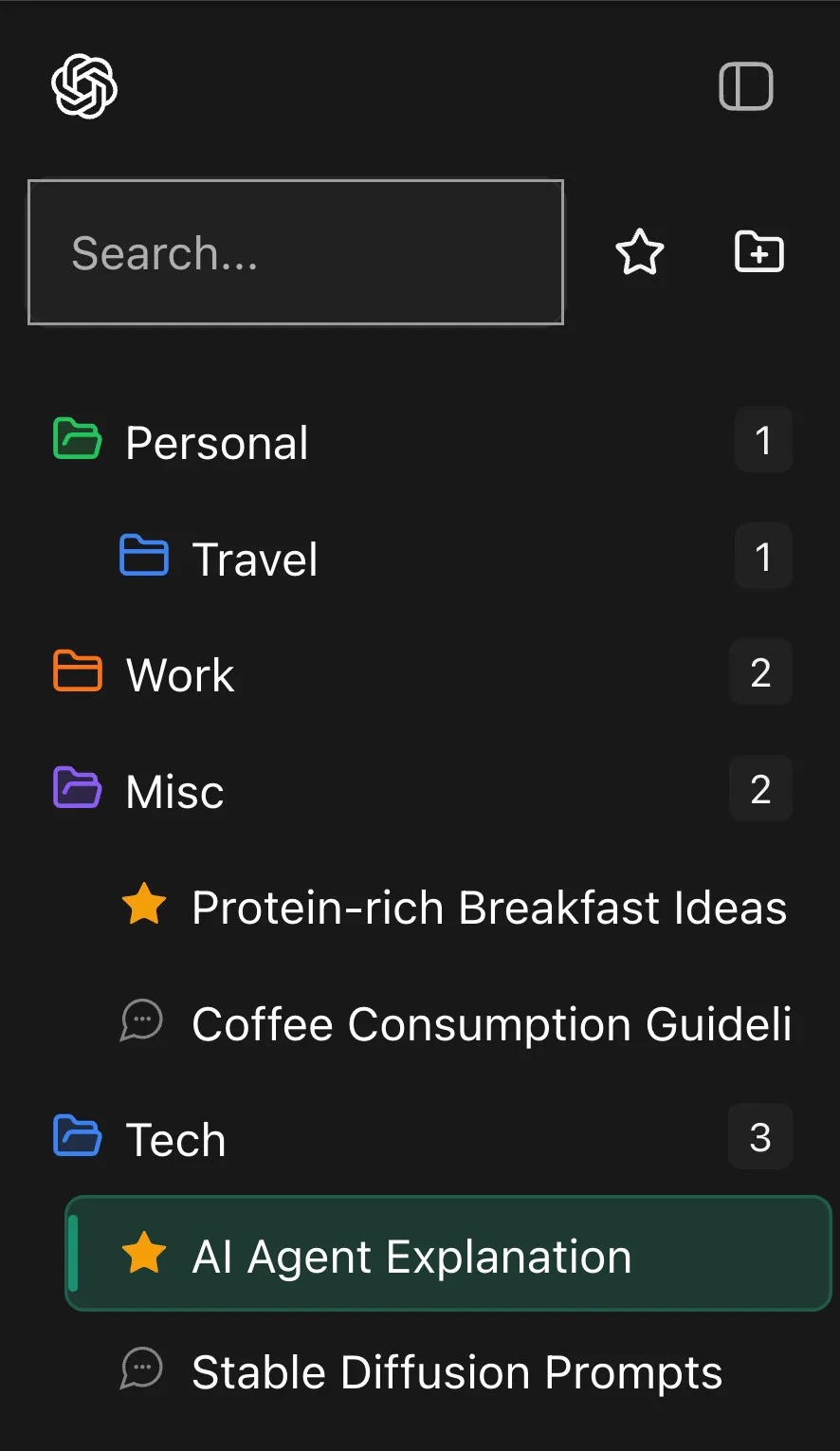
Shown inside chatgpt.com: GPT Master adds structure without forcing a separate workspace or a new learning curve.
Native friction
What changes
How it works
Bookmarks are most useful when they support repeat workflows, not just ad hoc saving. The real value is faster retrieval of threads you expect to reopen often.
Star the conversations you return to weekly, not just the ones you opened most recently.
Pin or annotate the threads that should stay visible across longer work cycles.
Use timestamps and search to identify the exact saved conversation when similar threads overlap.
Who this page is for
The strongest SEO page is still useful to a real buyer. These are the day-to-day jobs this workflow solves once ChatGPT becomes part of your actual operating system.
Writers keeping reusable prompt workflows close at hand.
Developers starring debugging and architecture threads.
Founders pinning strategy, fundraising, and operating cadences.
Frequently asked
These questions cover fit, workflow, and what to expect before installing GPT Master, so people can understand the feature in practical terms before clicking through to the Chrome Web Store.
Folders group work by category or project. Bookmarks, stars, and pins keep especially important threads close even if they are not the most recent conversations in that folder.
Browser bookmarks save a URL, but they do not add retrieval structure inside ChatGPT. GPT Master keeps important threads visible as part of the same working interface.
Reusable prompt workflows, evergreen references, active planning threads, and any conversation you expect to reopen often enough that recency alone becomes unreliable.
Related pages
Related feature
Group and color-code conversations by project, client, course, or topic instead of fighting a flat sidebar.
Related feature
Turn scattered threads into a structured workspace with folders, search, notes, shortcuts, and follow-up flow.
Related feature
See when conversations happened so you can recover context, sort recency, and resume work without guessing.