ChatGPT folders that keep every conversation organized
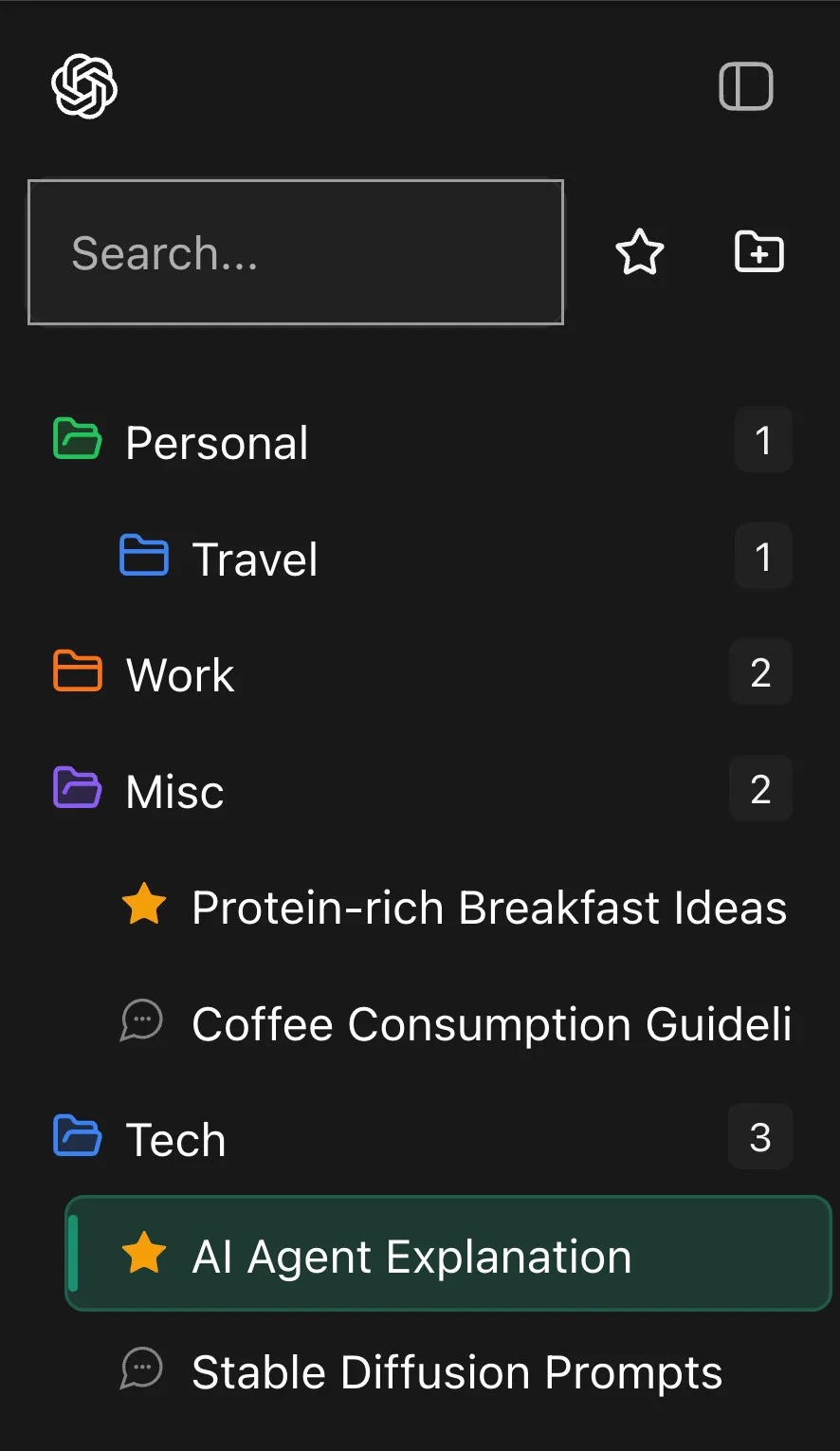
GPT Master adds nested folders, folder colors, stars, and search so your ChatGPT history stops feeling like a wall of text. Keep work grouped by project, client, class, or topic without leaving chatgpt.com.
Folders, search, timestamps, and navigation in one layer
Fast setup with no account required for core features
Quick answer
GPT Master adds nested folders, folder colors, stars, and search so your ChatGPT history stops feeling like a wall of text. Keep work grouped by project, client, class, or topic without leaving chatgpt.com.
chatgpt.com
Shown inside chatgpt.com: GPT Master adds structure without forcing a separate workspace or a new learning curve.
Native friction
Why people need ChatGPT folders
Native ChatGPT gives you a chronological list, not a real workspace.
Once you have dozens of active threads, important conversations get buried and harder to reuse.
Titles and memory are not enough when work spans clients, projects, classes, and long-running topics.
What changes
What GPT Master adds
Create folders and subfolders for projects, clients, research tracks, and recurring workflows.
Color-code folders so active work stands out before you even read the titles.
Keep high-value threads visible with stars, search, and bulk cleanup tools.
How it works
How folders fit into the daily workflow
The value of ChatGPT folders is not cosmetic. They change how quickly you can recover useful work and keep active projects separated from everything else.
1
Create a folder per project, client, course, or research stream instead of mixing everything in one recency list.
2
Color or rename the folders that matter most so you can scan the sidebar quickly during a busy day.
3
Use stars, search, and bulk actions to keep the folder structure usable as your conversation count grows.
Who this page is for
Common ways people use GPT Master
The strongest SEO page is still useful to a real buyer. These are the day-to-day jobs
this workflow solves once ChatGPT becomes part of your actual operating system.
01
Researchers separating sources, notes, and synthesis threads.
02
Consultants keeping client work isolated inside ChatGPT.
03
Founders organizing strategy, hiring, product, and investor conversations.
Frequently asked
Questions people have before they install
These questions cover fit, workflow, and what to expect before installing GPT Master,
so people can understand the feature in practical terms before clicking through to the
Chrome Web Store.
Does ChatGPT have folders by default?
Not in the way heavy users usually mean it. Native ChatGPT still centers recency, so GPT Master adds folder structure on top of the existing interface.
Who benefits most from ChatGPT folders?
People juggling many active projects inside ChatGPT: researchers, consultants, founders, students, and developers who need conversations grouped by topic instead of buried in one long list.
Are folders enough on their own?
Usually no. Folders solve structure, but stars, search, timestamps, and bookmarks are what make a growing archive practical to revisit and reuse.