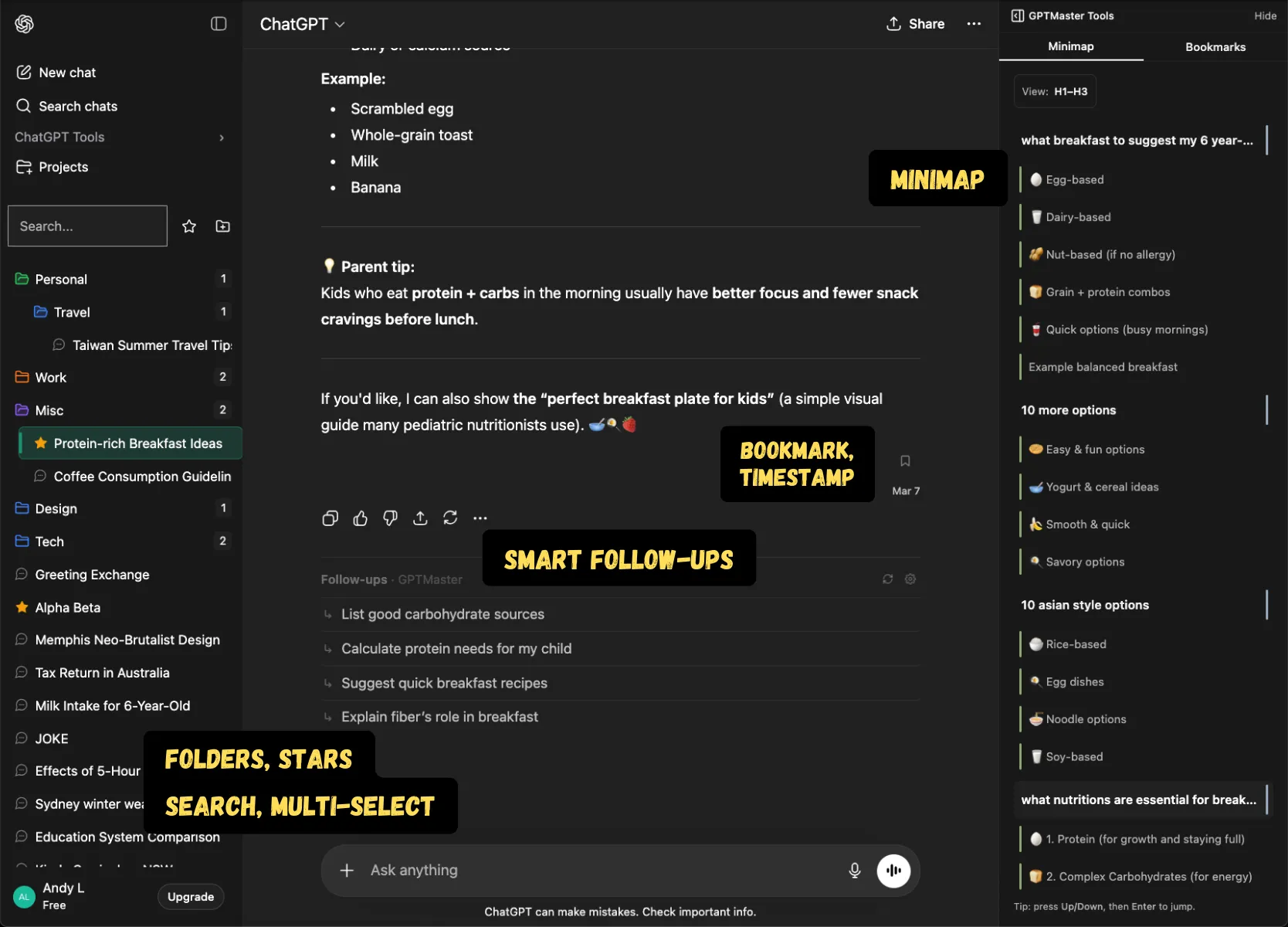
GPT Master turns scattered ChatGPT threads into an organized, searchable workspace. Add folders, stars, timestamps, notes, and follow-up momentum without moving your work into another app.
Folders, search, timestamps, and navigation in one layer
Fast setup with no account required for core features
Quick answer
GPT Master turns scattered ChatGPT threads into an organized, searchable workspace. Add folders, stars, timestamps, notes, and follow-up momentum without moving your work into another app.
chatgpt.com
Shown inside chatgpt.com: GPT Master adds structure without forcing a separate workspace or a new learning curve.
Native friction
What organizing ChatGPT actually requires
Organizing ChatGPT is not just about saving threads.
You need a way to group related work, recover context fast, and know what is still active or worth revisiting.
Without structure, ChatGPT becomes a pile of useful work that is difficult to reuse.
What changes
How GPT Master organizes the workflow
Folders, stars, pins, and notes add structure to your workflow.
Search, timestamps, and minimap make older work easy to recover.
Section collapsing, shortcuts, and follow-up suggestions keep the interface fast once thread volume grows.
How it works
What the organizer layer actually does
Heavy ChatGPT users usually need more than one feature. The organizer layer works because folders, search, timestamps, navigation, and follow-up flow reinforce each other.
1
Use folders, stars, and pinned conversations to create a visible structure for repeat-use threads and active projects.
2
Use notes, search, and timestamps to recover older work without relying on memory or recency alone.
3
Collapse noisy native sections and use minimap or follow-up suggestions to keep deep conversations navigable and productive.
Who this page is for
Common ways people use GPT Master
The strongest SEO page is still useful to a real buyer. These are the day-to-day jobs
this workflow solves once ChatGPT becomes part of your actual operating system.
01
Product teams splitting discovery, spec, QA, and launch threads.
02
Students organizing by course, assignment, and revision cycle.
03
Operators keeping repeatable ChatGPT workflows easy to reopen.
Frequently asked
Questions people have before they install
These questions cover fit, workflow, and what to expect before installing GPT Master,
so people can understand the feature in practical terms before clicking through to the
Chrome Web Store.
What makes something a real ChatGPT organizer?
A true organizer has to do more than save chats. It needs structure, retrieval, context recovery, and a way to keep deep conversations usable over time.
How is GPT Master different from just renaming chats?
Renaming helps a little, but it still leaves everything in one flat list. GPT Master adds folders, stars, search, timestamps, notes, and navigation so you can actually manage a working archive.
Who is this page really for?
People who use ChatGPT every day for recurring work rather than one-off prompts. The value gets clearer as thread count and workflow complexity grow.